
Leads & follow-ups
A clear next step for every enquiry. Work your personal follow-ups and open the complete customer story in Lead 360.
Lead 360Next follow-upCustomer interests
The real-estate sales workspace
Leads, calls, site visits, teams and collections. One clear workspace for brokers, builders and the people doing the selling.
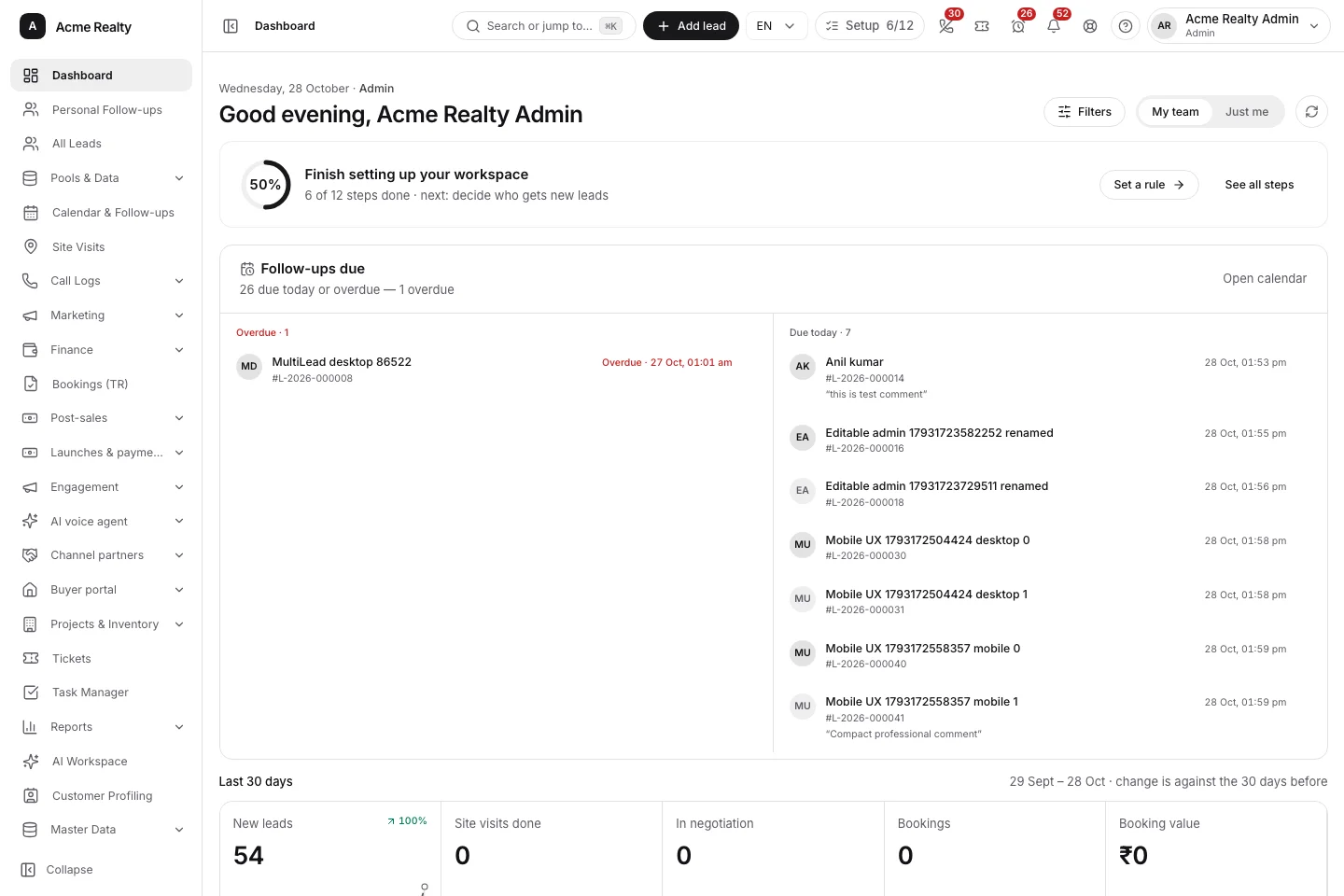
Your priorities and team activity, together.
Your enquiries, connected from the start.
One platform. Connected modules.
A lead should not lose its story when it moves from marketing to sales, from the office to a site visit, or from booking to collections.
12 modules shown
A clear next step for every enquiry. Work your personal follow-ups and open the complete customer story in Lead 360.
Bring supported ad sources, web forms and imports into a connected intake and assignment flow.
Give overlooked enquiries another opportunity, with admin-controlled eligibility, exclusions and claim limits.
Connect the visit to the lead, project and people involved. Keep timing, feedback and optional photos together.
See supported Android call logs and available recordings beside the customer history, with personal-number exclusions.
Understand lead movement, sources, follow-ups and team activity through the same hierarchy your team works in.
Punch in, manage the working day and review consent-based location timelines at your configured interval.
Keep project information and available inventory connected to customer requirements and matching.
Carry the conversation through TR reports, bookings, payment plans and receipts without losing the lead context.
Set up your actual reporting tree, custom roles and access scopes, so people see the work relevant to them.
Connect internal follow-through with customer and partner workspaces, documents and service requests.
Add optional AI-assisted reporting and workspace tools with the provider and controls configured by your organisation.
From interest to ownership
One customer history, a clear owner and an accountable team. The thread stays intact as the sale moves forward.
Connect sources or import a spreadsheet. Preserve attribution and route work using your assignment rules.
Calls, comments, interests and the next follow-up sit alongside the customer, so the team knows what happened.
Schedule the project, coordinate participants and record the outcome. Keep the next action connected to the enquiry.
Move into TR reports, bookings, payment plans and receipts with the relevant customer and project context.

Your working day
First conversation · Today
Meet at the project · 3:00 pm
Your day, in progress
Attendance · Tasks · Follow-upsThe office goes with your team
The important work is on the phone: your next follow-up, a customer’s last conversation, a site visit, or a quick update before the next call.
Follow-ups, Lead 360, calls, visits, tickets and your working day, with compact screens built for the field.
Read downloaded records and save supported activities on the device. Pending work stays visible until it syncs.
Attendance and consent-based location timelines follow the policy and interval set by your admin.
Android companion + responsive web workspace. Call and recording sync depends on supported devices and permissions.
Built around real-estate operations
Long follow-up cycles, multiple projects, field teams and clear attribution. These are the details the workspace is designed around.
Keep enquiries, multiple projects and the sales team in one place. Move from scattered follow-ups to a shared operating picture.
Connect project inventory, site visits and the booking handoff, with collections and customer-facing workspaces alongside.
Add custom roles, reporting lines and permissions. Keep personal follow-ups distinct from the team view as the organisation grows.
Yes. Import your spreadsheet, map its columns, match project and user names to your workspace, and review the data before importing. Name and phone are the starting point; other lead details can come with them.
Access follows your organisation’s roles and reporting hierarchy. Personal follow-ups focus on the logged-in owner; All Leads and team reports show the wider scope that person is allowed to see.
Downloaded working records remain available, and supported lead edits and activities can be saved on the device for sync when connectivity returns. Open or download records beforehand. Live maps, exports and server approvals need a connection.
The web workspace works on both mobile browsers. The Android companion adds supported phone-call synchronisation and field tools. Cellular call-log and recording access is Android-only, subject to device capabilities, permissions and recording availability.
Your admin controls roles, hierarchy, lead stages, projects, sources, pool rules and working-day policies. Available modules and connected services follow your workspace configuration.
Tell us how your team captures, follows up and closes enquiries. A walkthrough can cover your hierarchy, lead lifecycle, migration, sources and the modules relevant to your operation. Existing users can sign in with the workspace finder below.
Your next working day, connected
Already part of a team on ElevateLeads? Open your organisation’s workspace. Exploring the platform? Let’s walk through the way your team works.
Arrange a product walkthroughMade for your industry
Enquiries, site visits, inventory, bookings and collections. Ready to onboard your sales team.
Explore real-estate CRMAn education-focused edition for enquiry and admissions teams is on the roadmap.
Register your interestTell us how your business works. More industry editions are planned.
Tell us what you need